Scheduling
A schedule runs a group or a snapshot subscription automatically, once or on a recurring basis. A scheduled run does what Run does: for an incremental group, it baselines the members that need one. It doesn't change how often the group polls: that's its Poll Interval.
Incremental subscriptions have no schedule of their own; their group's schedule baselines them.
Schedule a group or snapshot subscription
- Tick Scheduled. Clearing it stops automatic runs and keeps the schedule.
- Choose One time and set the Start Time, or choose Recurring and set the recurrence (see below).
- Save the group or subscription.
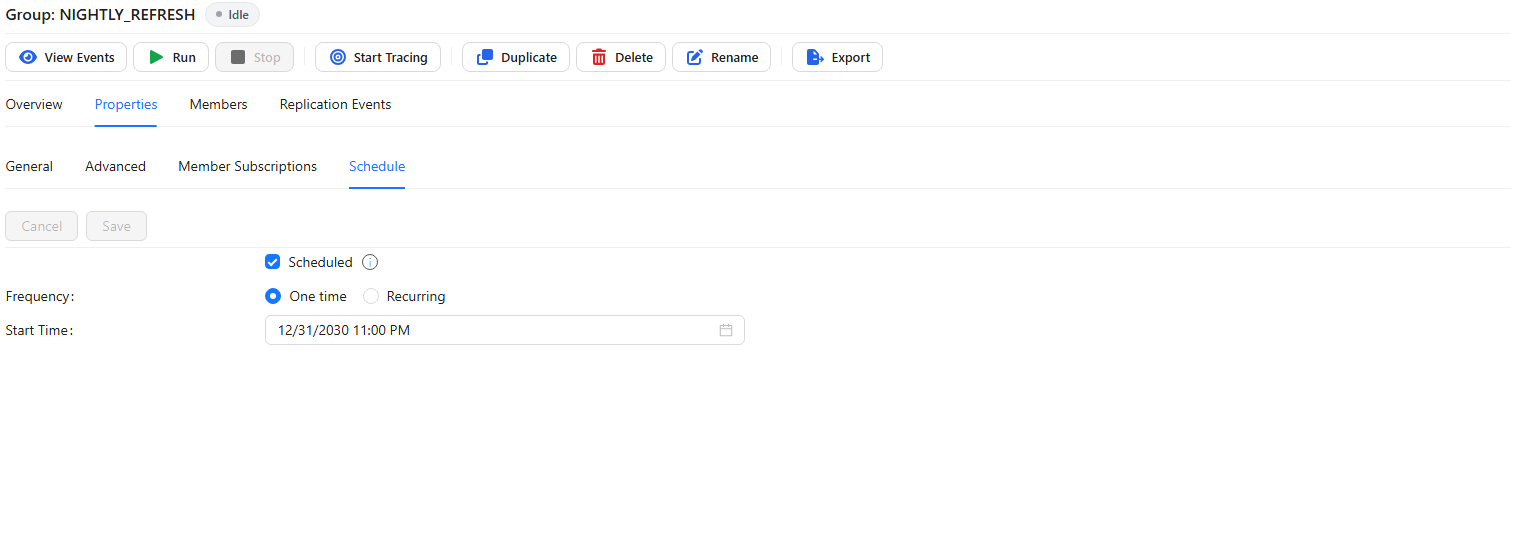
Times are in the time zone of the server where the Replicator Service runs.
Recurring schedule
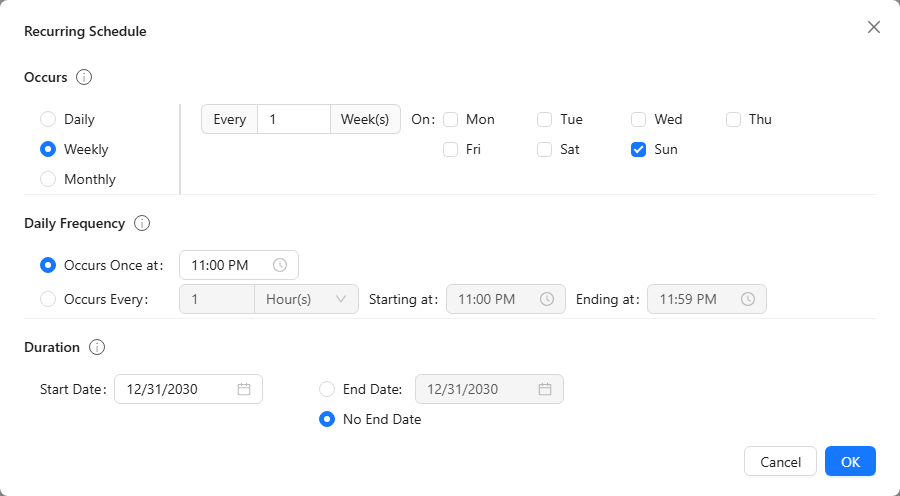
With Occurs Every, Ending at must be later than Starting at (12:00 AM is the start of the day), and the End Date can't be before the Start Date. The Replicator Service also refuses such a schedule when it's saved another way, for example from PowerShell.
How scheduled runs behave
- Busy targets are skipped. If the group or subscription is still running when its schedule fires, the run is skipped and the failure ("... is busy") is logged; the next occurrence is scheduled as usual. Scheduled runs don't queue up.
- Overlapping schedules. A snapshot subscription with its own schedule that's also a member of a scheduled group is skipped, with a warning, if it's busy when the group runs it: keep the schedules apart.
- After downtime. If the Replicator Service was stopped when a daily run was due, that run happens once when the service starts again.
- One-time schedules whose start time has passed, and recurring schedules past their end date, no longer run.
Scheduled Tasks
The Scheduled Tasks tab of the Monitoring page lists the Replicator Service's scheduled tasks: groups, snapshot subscriptions, and an Internal task that prunes old run history (every 15 minutes by default; see How long history is kept).

- Status Never: the task won't run (not scheduled, a past one-time schedule, or past its end date). The tab opens showing only Queued tasks.